
Article · Jun 2, 2026
Restaurant Opening Design Checklist: Menu, Website, Print, Social, and Storefront Graphics
A practical design checklist for restaurants, cafes, bakeries, and food businesses preparing to open.
8 min read
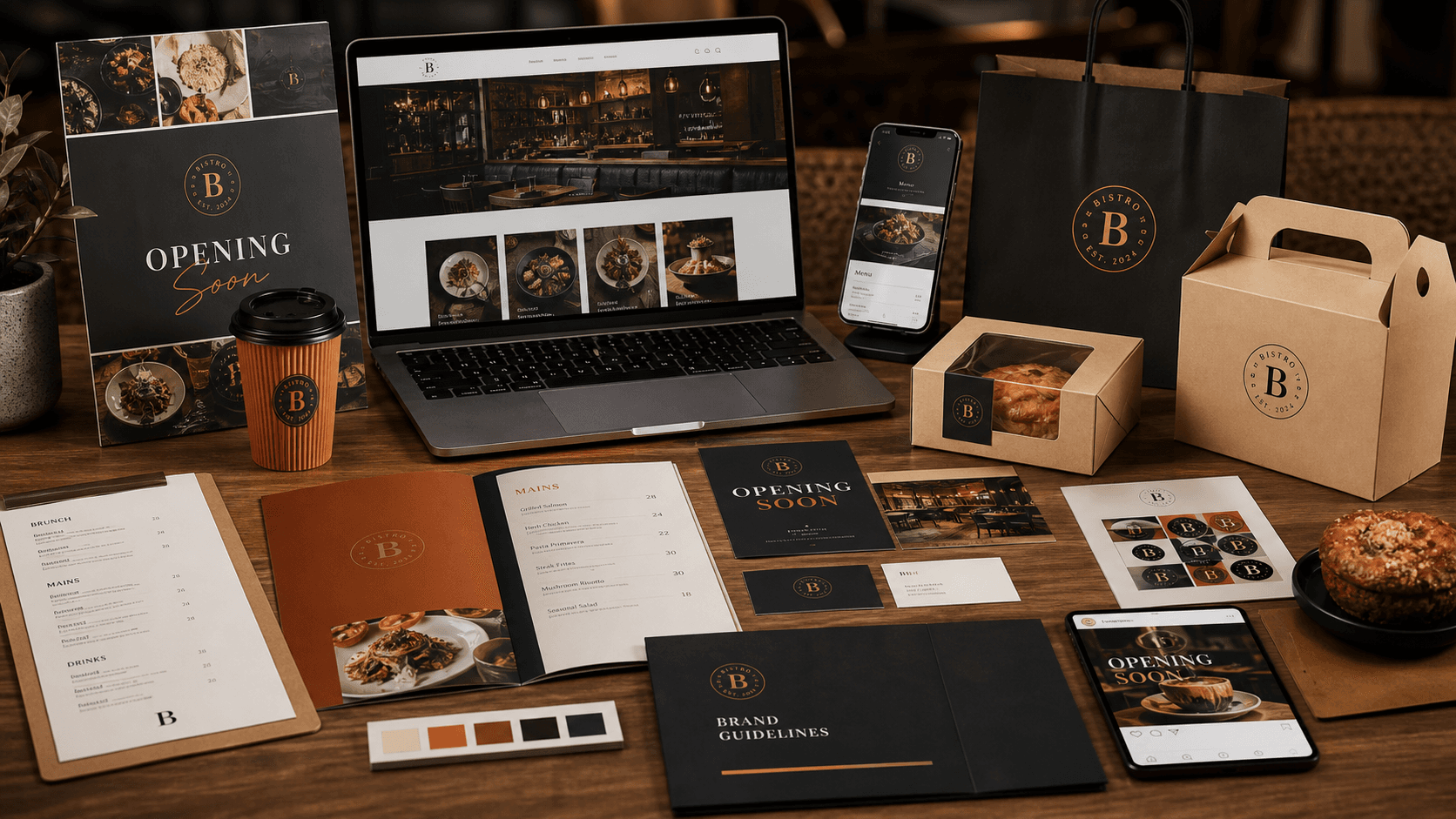
Restaurant design should connect the menu, website, packaging, social launch, and local promotion materials before opening day.
In this article
- 01Build around the menu
- 02Prepare launch materials early
- 03Do not treat packaging as an afterthought
- 04Think about week-two operations, not just opening day
Build around the menu
For restaurants and cafes, the menu often carries the brand more than any other asset. Customers spend more time with it than they do with the logo alone. It shapes pricing clarity, photography priorities, item naming, hierarchy, and even how premium or casual the entire business feels.
That is why menu design should not be left until the end. A good menu system helps define the broader brand language for the website, packaging, flyers, takeout materials, and seasonal promotions.
Prepare launch materials early
Opening flyers, takeout menus, packaging stickers, website pages, Google and Yelp visuals, and social graphics should share one system. When these materials are built separately, the business opens with an inconsistent look that feels rushed even if the food concept is strong.
The launch should be planned around the customer journey: discovery, menu review, first visit or first order, takeout or delivery interaction, and repeat purchase. Each of those moments needs visual consistency and production accuracy.
- Menu layouts for dine-in, takeout, and digital ordering
- Opening flyers, promo cards, and neighborhood distribution pieces
- Packaging labels, stickers, and small-format print materials
- Website or landing page sections for location, hours, menu, and ordering
Do not treat packaging as an afterthought
Small packaging details do a lot of brand work. Labels, cups, bakery boxes, stickers, and bag graphics often show up in social photos and customer hands before other touchpoints do. If those pieces feel generic, the restaurant loses part of the atmosphere it worked hard to create.
Even a modest opening can look much more considered when the packaging language matches the menu and the digital launch materials. This is especially useful for cafes, dessert shops, bakeries, and takeout-heavy concepts.
Think about week-two operations, not just opening day
A restaurant launch system should still be useful after the grand opening. Prices change, specials rotate, and seasonal campaigns appear quickly. Reusable templates make those updates easier without forcing the team to redesign the brand every time a new offer or event appears.
That makes the difference between a design package that looks good in the launch photos and a system that actually supports operations after the first rush.
Frequently asked questions
What should a restaurant design before opening?
Logo, menu, website or landing page, takeout materials, packaging graphics, social launch assets, and local promotion pieces.
Why design the menu early?
The menu affects brand feel, photography needs, print specs, pricing clarity, and customer ordering behavior.
Does a small cafe need both a website and print materials?
Usually yes. Even a simple site and a compact print system help customers confirm hours, menu, location, and ordering information with more confidence.
Can a restaurant launch with templates and upgrade later?
It can, but the better approach is to start with a focused reusable system that covers the core launch materials well and can be expanded later.
Need a cleaner launch system?
Plan the brand, website, and launch materials as one system.
Visual Square helps NY/NJ businesses align identity, web structure, printed materials, and production-ready files before launch dates get tight.
Talk about the launch