
Article · Jul 9, 2026
Profile Visuals That Help Restaurants Get Chosen
How NY/NJ restaurants and cafes can turn Google Business Profile photos, social covers, menus, packaging, and website images into one trust-building visual system.
13 min read
For restaurants and cafes, profile visuals are often the first brand touchpoint. The right photo system can make a local business feel more current, trustworthy, and easier to choose before a customer ever reaches the website.
In this article
- 01The first impression may not be your homepage
- 02Local discovery is becoming more visual and more structured
- 03A profile image system is not stock photography
- 04Connect profile visuals to the website decision path
- 05Menus and packaging are marketing images too
- 06AI search readiness starts with consistent answers
- 07Build production-ready crops before the busy season
- 08A realistic refresh plan for NY/NJ restaurants and cafes
The first impression may not be your homepage
A restaurant or cafe customer in New York or New Jersey may decide whether to visit before seeing the full website. They might compare map results, scan Google photos, open Instagram, check a menu preview, look at delivery app images, or see a shared link card from a friend. Those small visual moments often carry more influence than the polished homepage hero.
That changes how local food and beverage brands should think about design. The question is not only whether the logo looks good. The question is whether the profile image, food photo, menu crop, package label, website card, and social cover all make the same promise about the experience.
Local discovery is becoming more visual and more structured
Recent marketing discussions around AI search, Google Business Profile, and local SEO point to the same practical reality: customers want fast answers and believable signals. They are not only reading descriptions. They are judging freshness, quality, atmosphere, price cues, menu clarity, and whether the business looks active.
For a cafe, bakery, dessert shop, quick-service restaurant, or neighborhood dining concept, this means profile visuals should be planned like brand assets. A random camera roll upload can make the business look alive, but it may also make the brand feel inconsistent. A controlled set of images can show real texture while still guiding the customer toward a decision.
- Show the storefront or arrival cue so first-time visitors feel oriented.
- Include menu or product close-ups that answer what the business is known for.
- Use human-scale details such as counter moments, packaging, trays, receipts, or table settings.
- Keep crops readable in square thumbnails, vertical social posts, and website cards.
A profile image system is not stock photography
The strongest restaurant profile visuals are specific to the business. They show the real counter, real packaging, real menu typography, real dishes, real light, and real service rhythm. That specificity is useful because AI-polished sameness has made many restaurant and cafe brands look interchangeable online.
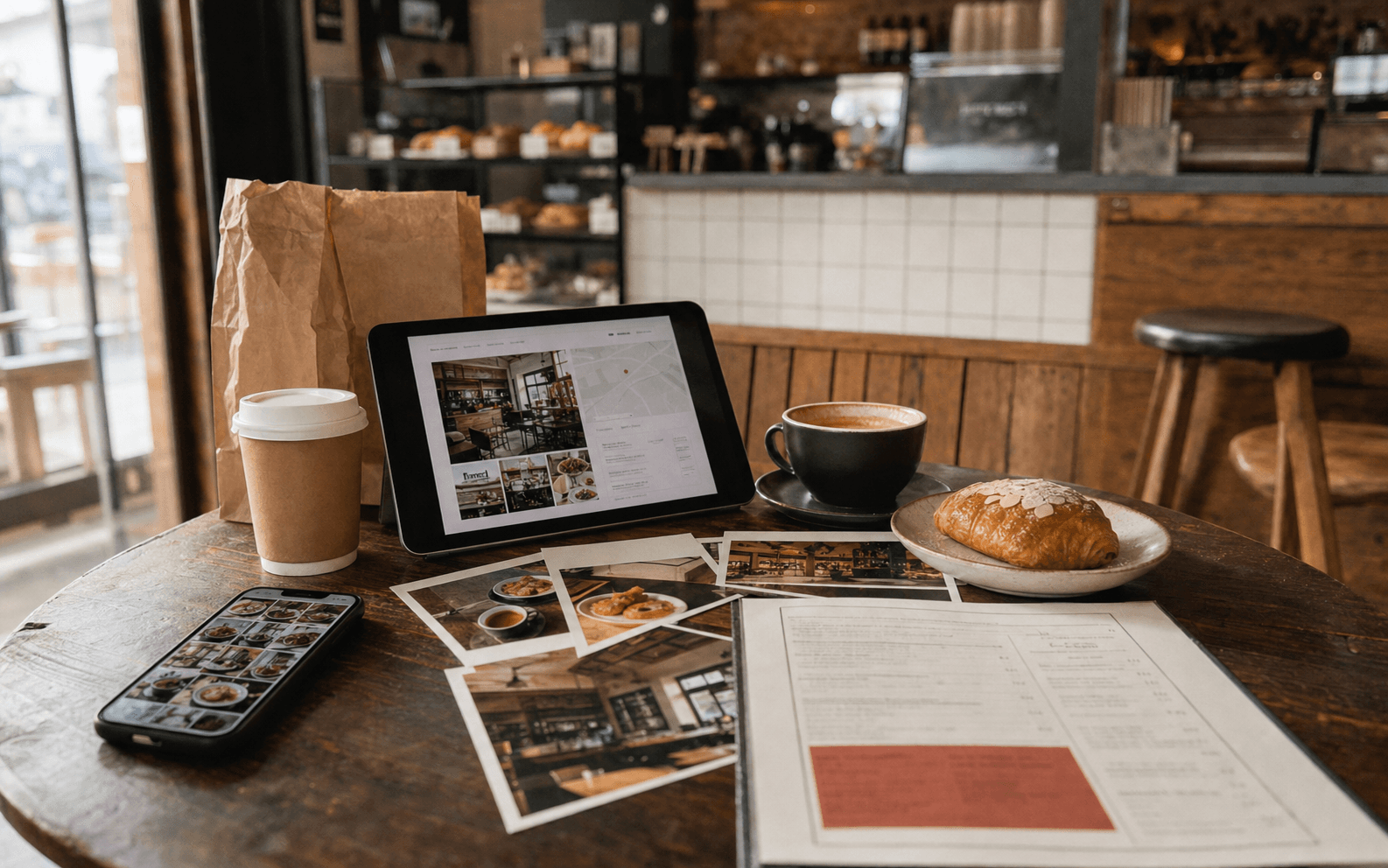
Human texture does not mean messy files or unplanned images. It means the art direction makes room for tactile proof: paper menus, label edges, foil bags, pastry boxes, coffee sleeves, ceramic plates, receipt details, seasonal cards, and neighborhood context. These details help the customer believe the business is real, active, and cared for.
Connect profile visuals to the website decision path
Profile visuals should not stop at discovery. They should lead naturally into the website. If the Google photos highlight premium boxed pastries but the website only shows a generic cafe hero, the customer has to reconcile two different stories. If Instagram promotes catering but the website has no clear catering page, interest leaks out of the journey.
A better system maps each key visual to a customer decision. Storefront photos support visits. Menu close-ups support ordering. Packaging photos support takeout, gifting, and catering. Interior images support atmosphere. Team or process images support trust. The website can then use the same image families on service pages, menu pages, campaign landing pages, and inquiry forms.
Menus and packaging are marketing images too
Print and packaging pieces often become the most useful visual content for restaurants. A printed menu, loyalty card, catering insert, pastry label, cup sleeve, sticker, takeout bag, or box seal can appear in Google photos, social posts, website banners, delivery inserts, email graphics, and local ads. When those pieces are designed well, they keep working after the first print run.
This is why menu and packaging design should be planned with photography and web use in mind. A menu that is easy to read in person may also need a clean crop for the website. A label may need enough contrast to photograph well. A takeout insert may need a QR code, short offer, and brand line that still looks premium when it appears in a social carousel.
AI search readiness starts with consistent answers
AI search and answer engines are pushing businesses to be more explicit about what they offer, where they operate, what makes them credible, and what customers should do next. For restaurants and cafes, the text structure matters: menu categories, location details, hours, dietary notes, catering options, reservation guidance, FAQs, and clear page headings.
The visual system should support those same answers. If the website says the cafe is built for specialty coffee and small-batch desserts, the profile visuals should show those products clearly. If the restaurant wants catering inquiries, the image set should include trays, packaging, menu inserts, and event-ready presentation. Consistency helps both people and search systems understand the offer.
Build production-ready crops before the busy season
The problem usually appears when the business gets busy. A holiday menu needs to be posted, a catering page needs a hero image, a new drink needs a social cover, or Google photos need an update. If every crop is created in a rush, the brand slowly becomes uneven.
A practical file system prevents that drift. Prepare square profile images, vertical social images, wide website hero crops, menu thumbnails, delivery-app-safe crops, print-ready PDFs, editable source files, and vendor exports. Name files by campaign, channel, size, and date so a manager or designer can find the right asset without guessing.
- Create a core image library for storefront, interior, product, menu, packaging, and team/process.
- Export each priority image in square, vertical, horizontal, and thumbnail formats.
- Keep print source files separate from web-compressed exports.
- Review mobile readability before posting text-heavy menu or offer graphics.
A realistic refresh plan for NY/NJ restaurants and cafes
Start by auditing the places customers see before they decide: Google Business Profile, Instagram grid, Facebook page, delivery listings, website homepage, menu page, search result image, shared link preview, printed menu, takeout packaging, and any local ad creative. Mark which visuals are current, which are off-brand, which are low quality, and which do not answer a customer question.
Then refresh the highest-impact set first. For many local restaurants, that means updated Google photos, a cleaner menu image system, stronger website hero crops, better packaging photos, and a few social templates for seasonal offers. It does not require turning the brand into a signage-only project or chasing every trend. It requires making the first visual touchpoints feel intentional, human, and ready to support real business decisions.
Frequently asked questions
Why do restaurant profile visuals matter so much?
Customers often compare restaurants through Google, social profiles, delivery listings, and shared previews before visiting a website. Those visuals shape trust, appetite, quality perception, and whether the customer takes the next step.
What images should a cafe or restaurant update first?
Start with storefront or arrival photos, signature product images, menu or ordering cues, interior atmosphere, packaging or takeout details, and any visuals connected to catering, reservations, or seasonal offers.
How does this connect to AI search readiness?
AI search readiness depends on clear, consistent signals. Website content, local profile details, FAQs, menu information, and supporting visuals should all describe the offer, location, and next action in the same direction.
Do profile visuals need professional design files?
Not every photo needs heavy design, but the system should include production-ready crops, source files, print-ready menu or packaging files, and social templates so updates stay consistent across channels.
Need a sharper customer-facing system?
Improve consistency across the brand, website, and sales materials.
Visual Square helps NY/NJ businesses clean up the touchpoints customers actually see first, so the brand feels clearer, more credible, and easier to trust.
Talk through the refresh